Intro
Freedom Fighters is a squad shooter from 2003, set in a New York the Soviet Union has occupied. IO Interactive built it on Glacier, the same engine family as Hitman 2. I’ve been working on a remaster with new lighting and sharper textures. For that I needed tools that could read the game’s files and write them back.
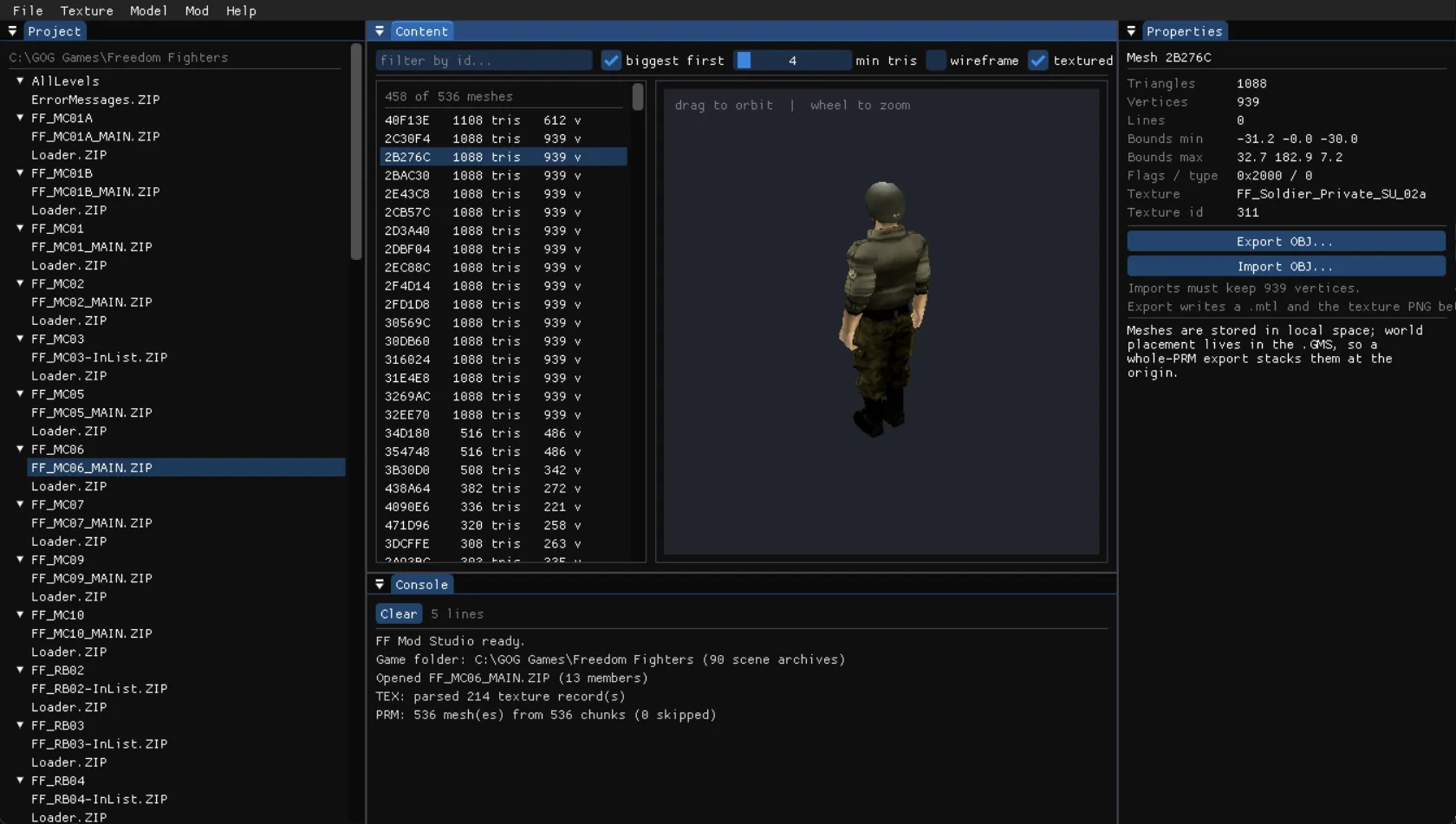
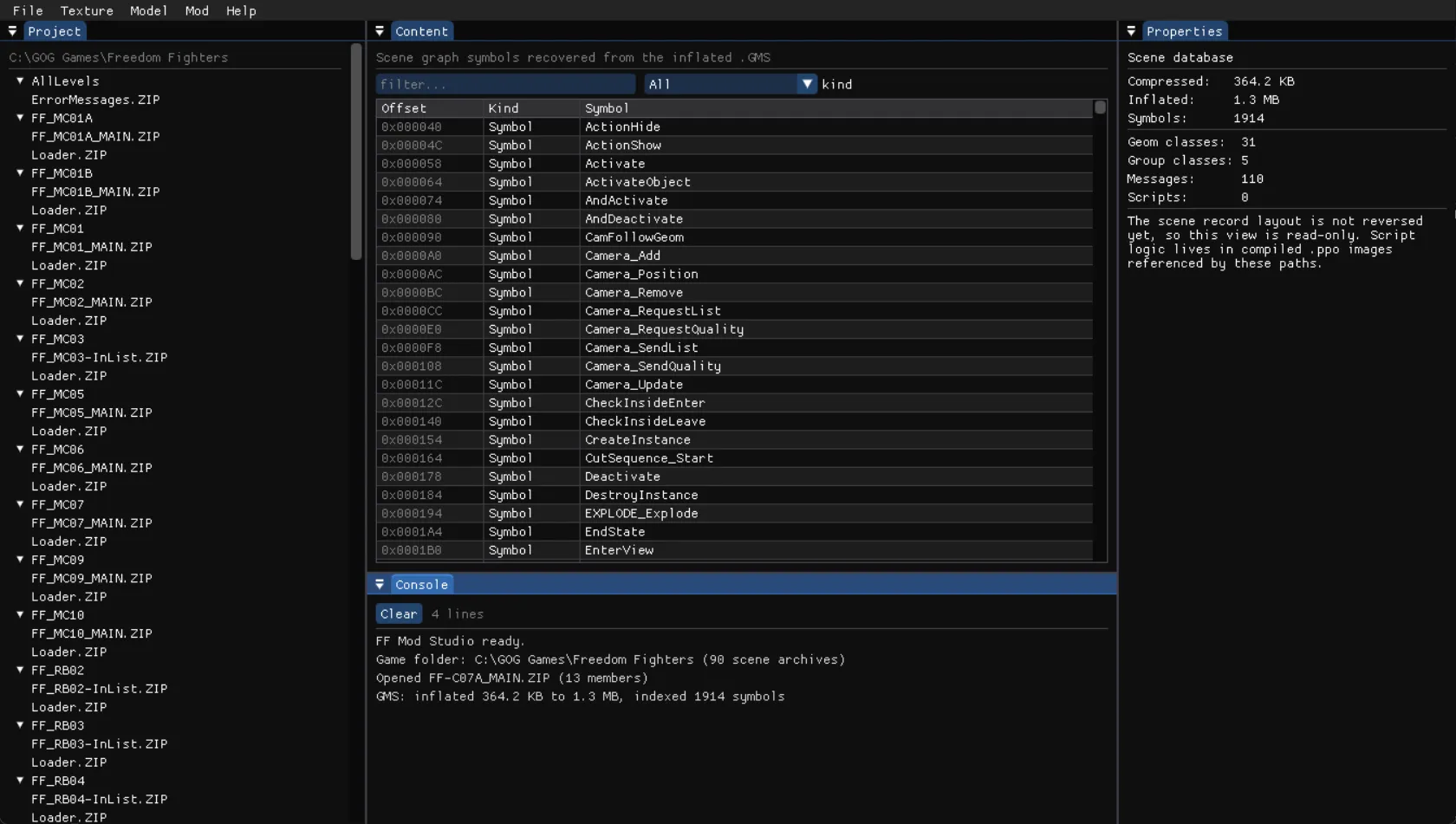
FF Mod Studio is what came out of it. It’s a desktop editor in C++17 with a texture browser, a 3D mesh viewer and a console that logs every file operation. A command-line program does the batch work and checks every file in the game. The Blender addon drives that same program, so each file format has exactly one implementation.
It’s all ZIP files
The game keeps each level in an archive under its Scenes folder. They turned out to be ordinary PKZIP files, each holding about a dozen members named after the scene: .TEX for textures, .PRM for meshes, .GMS for the scene graph, plus others for animation, pathfinding and collision that I haven’t decoded yet.
Some members are wrapped again in a small container of the engine’s own: two sizes, a flag, then raw DEFLATE. All 180 of those containers inflate, compress again and inflate to identical bytes. That was the first thing I checked, because every edit depends on it.
One archive stores its members without compression, so the repacker copies each member’s original method instead of assuming one. Before any edit, the tool also copies the untouched archive to a backup. It won’t write without one. A menu item puts the original back.
I check all of it with a sweep over the 90 archives that ship with the game. This is its current output:
archives opened          : 90 / 90
members enumerated       : 1118
containers round-tripped : 180 / 180  (failures: 0)
TEX libraries parsed     : 90
texture records          : 23522
  decoded to pixels      : 23522
  decode failures        : 0
GMS scenes indexed       : 90  (44663 symbols)
PRM libraries parsed     : 90
  chunks                 : 61451  (skipped: 27)
  meshes built           : 61424
  triangles / vertices   : 2016294 / 2820961
  out-of-range indices   : 0
PASS
Textures
Each level’s .TEX file is a chain of records: a size, a format tag, the dimensions, then every mip level. The editor shows them as a searchable grid. You export one to PNG, edit it in anything, import it back and apply the change to the archive.
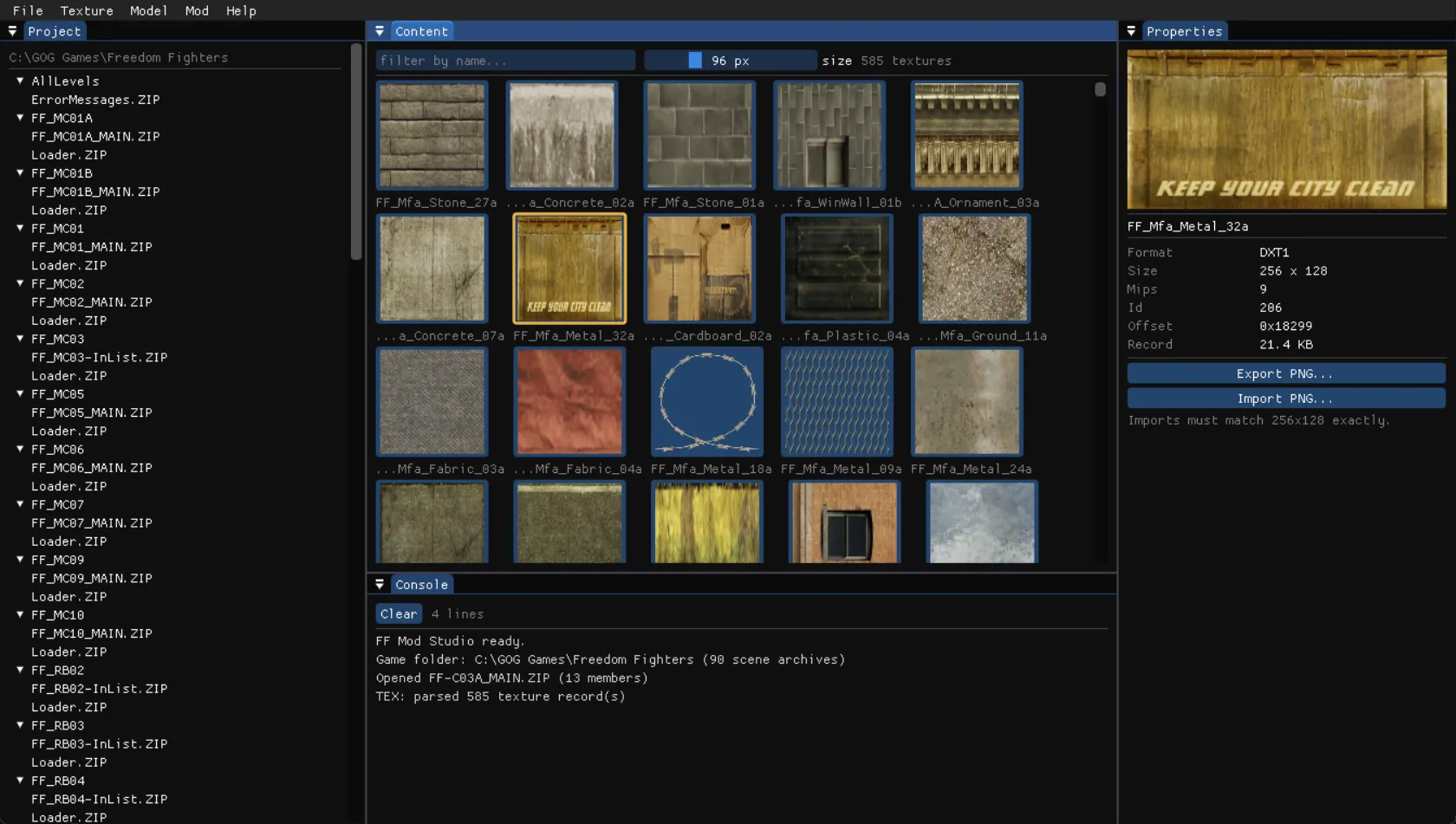
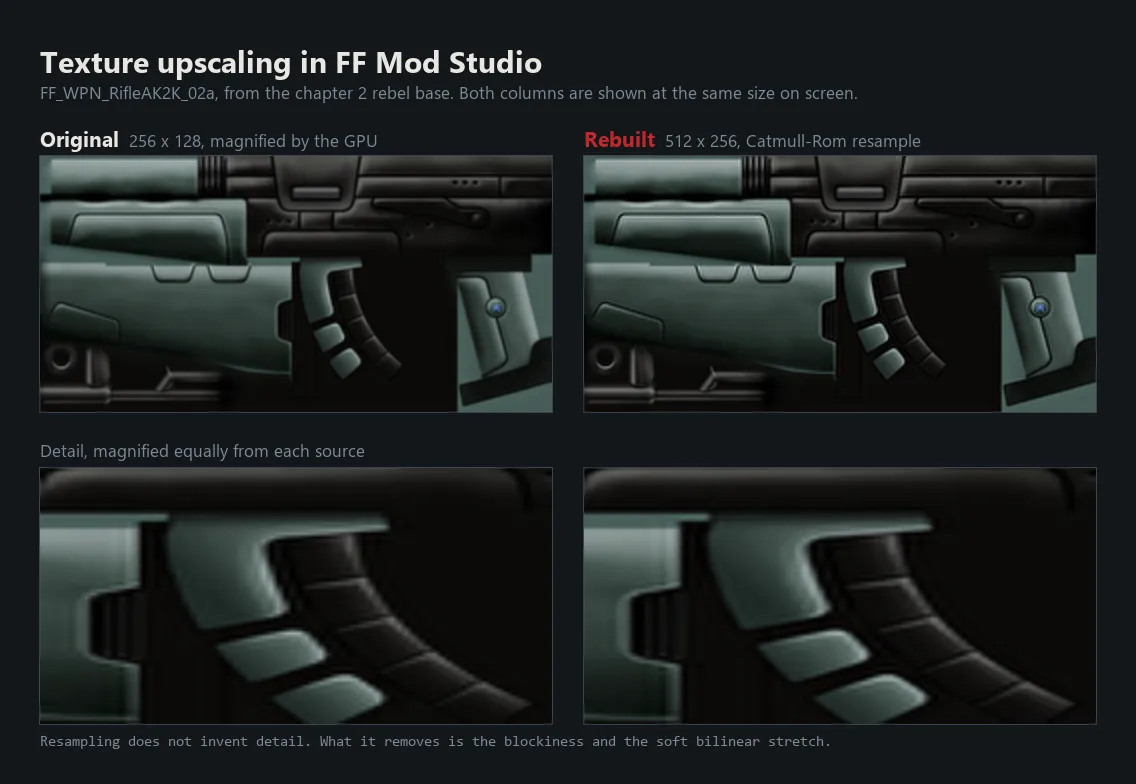
An import writes the new pixels into the bytes the old ones used, one mip level at a time. Nothing else in the record moves, including the fields I don’t understand yet. That’s why an imported image has to be the same size as the one it replaces.
Two details cost me real time. The size at the start of each record is a length to the next one, not an offset. And the record stores height before width. Swap them and square textures still look right, and so does the size check, because a 64 by 128 image has as many blocks as a 128 by 64 one. It only showed up as banding on a wheel texture that happened to be 128 by 64.
All 23,522 textures in the game, across four formats, decode.
Meshes
The .PRM files hold the geometry: 61,424 meshes across the game, about two million triangles. Each mesh is a set of triangle strips. In a strip, the order of the corners decides which way each triangle faces.
I didn’t want to guess that order. Every vertex in the game also stores a normal, so I built the triangles each possible way and scored how well their faces agreed with the stored normals, over about 900 large meshes.
| Reading of the strip | Agreement with the stored normals |
|---|---|
| Strip, flipped winding | +0.959 |
| Triangle fan | +0.032 |
| Strip, plain winding | -0.959 |
The plain reading is exactly inside out, and a fan is noise. Only the flipped strip fits.
An early safety limit of 256 vertices per strip was wrong as well. Detailed meshes are often stored as one long strip, up to 2,004 vertices. The limit had quietly dropped 2,027 meshes and about 700,000 triangles. For a while it looked as if the game had no detailed models at all.
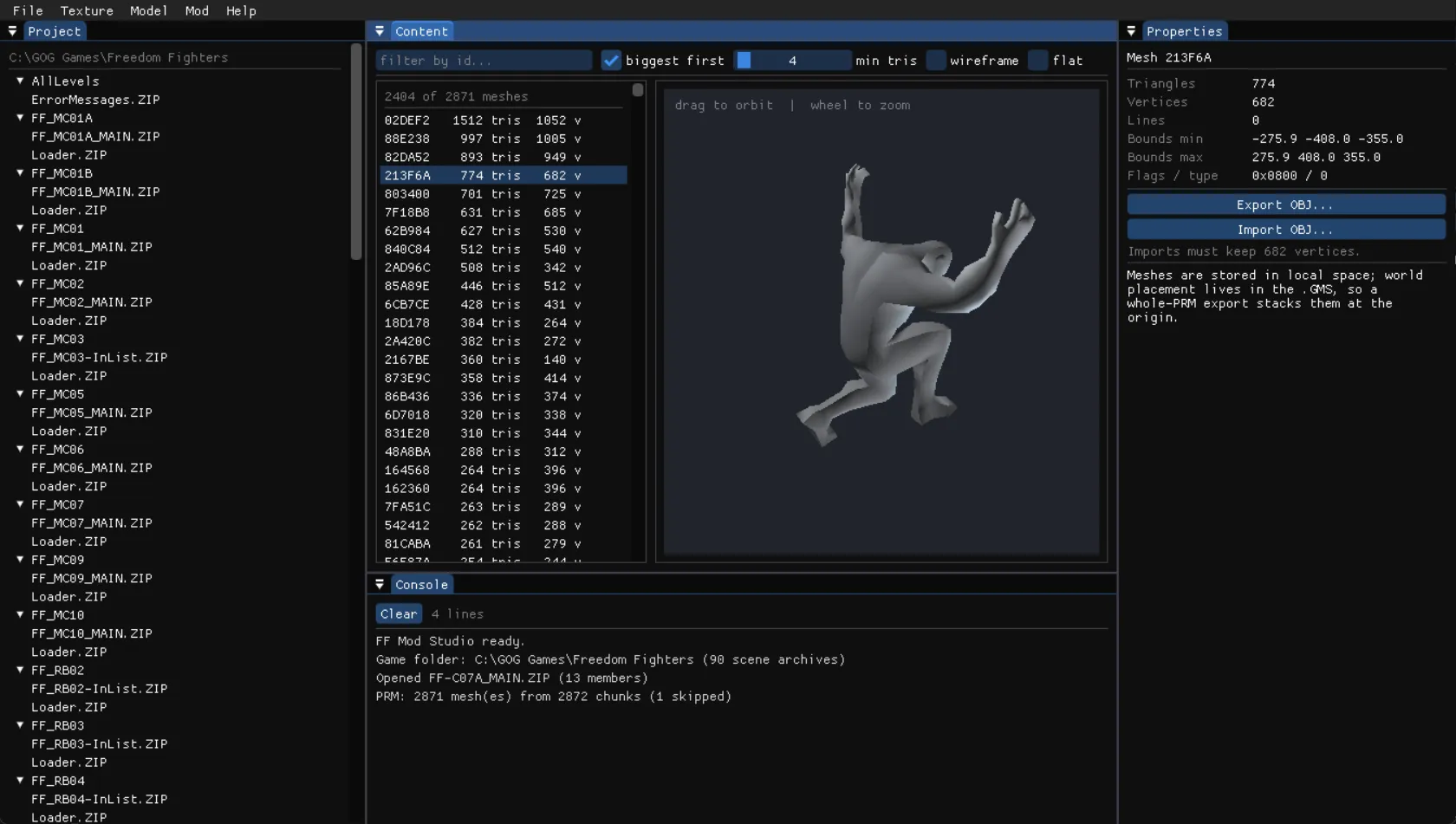
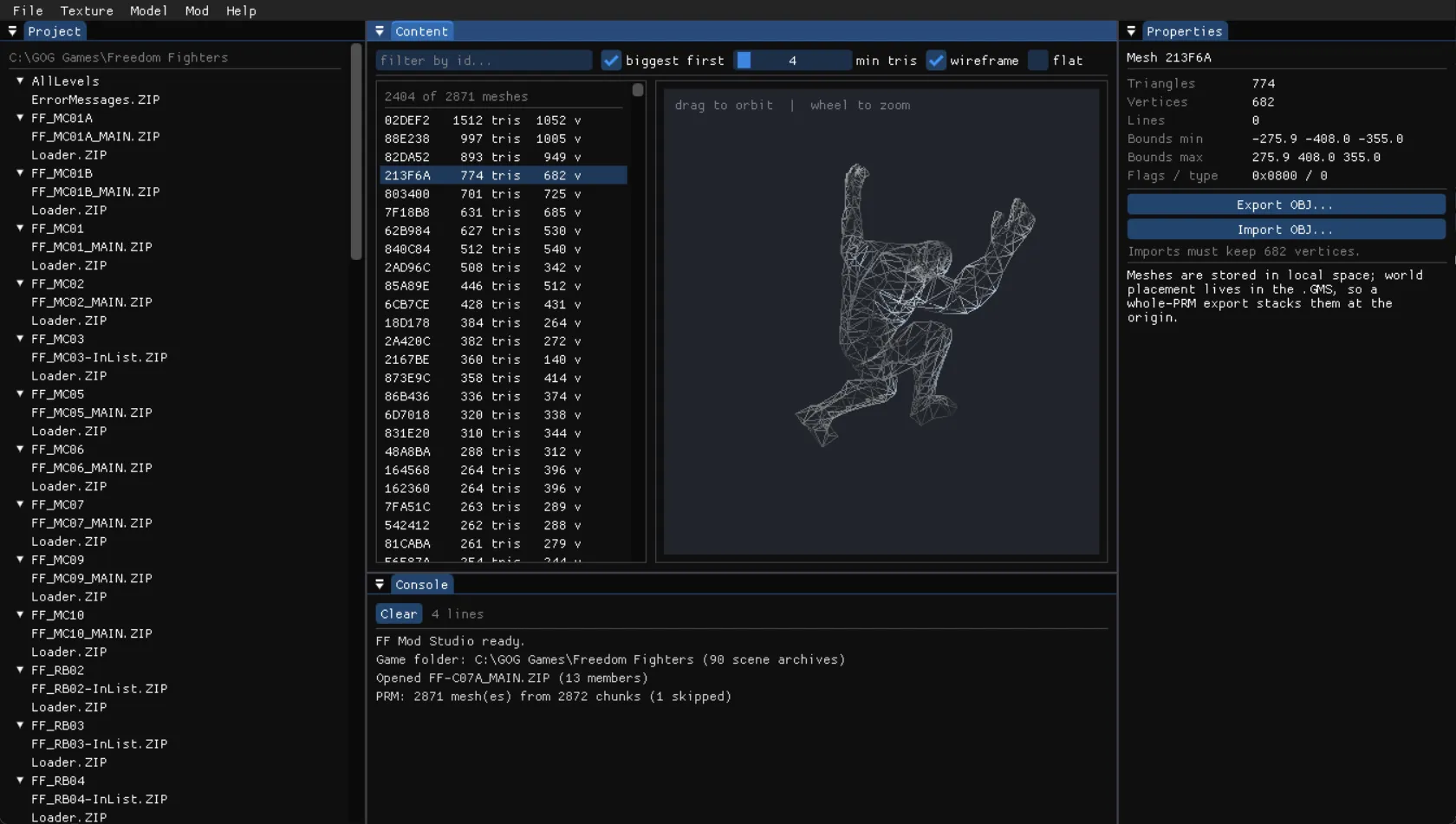
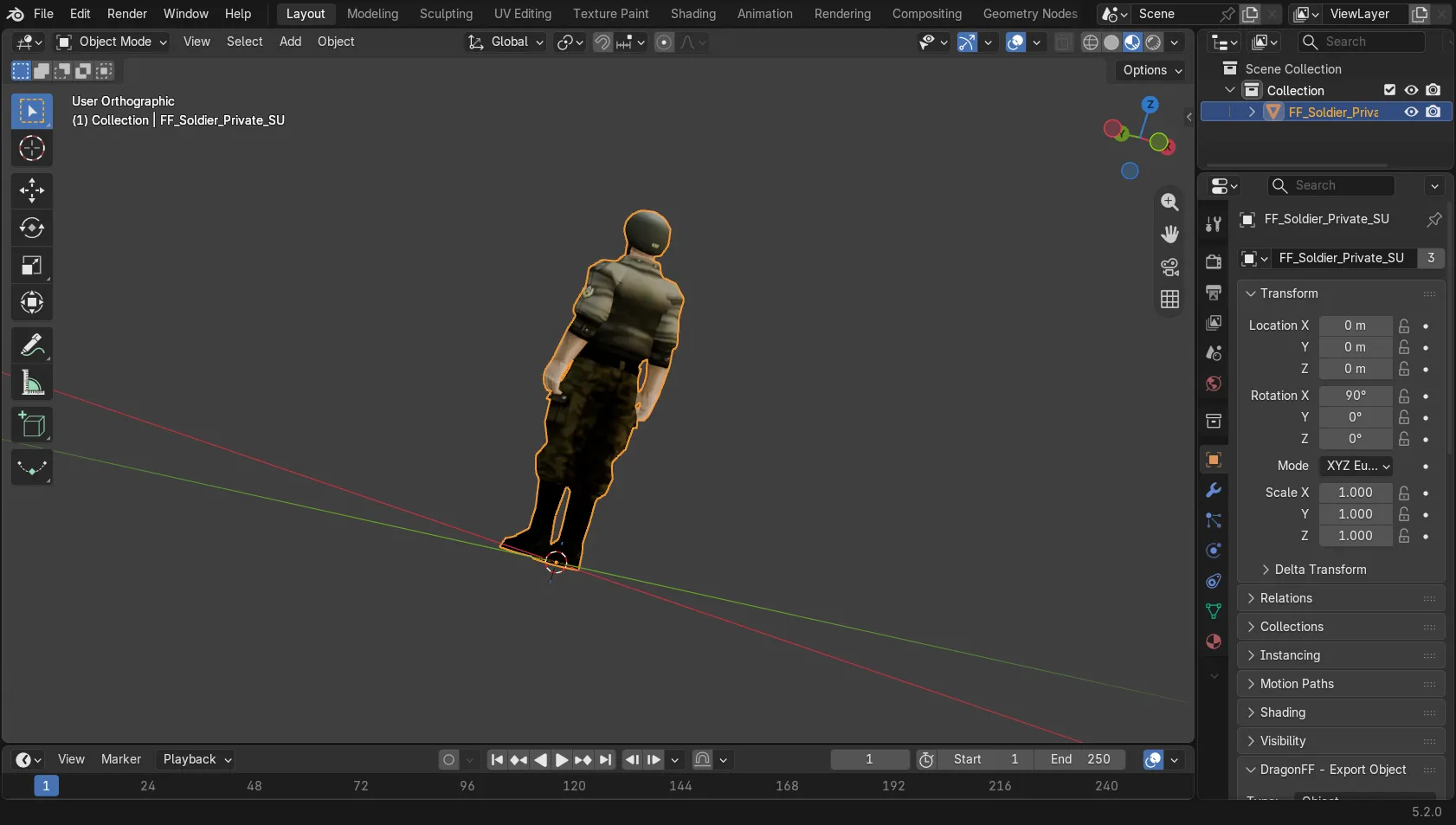
Then I needed to know which texture goes on which mesh. A 16-bit field near the start of each mesh holds it, in its lower 11 bits. Across all 61,451 chunks, that field never once names a texture that doesn’t exist. The proof I trusted most was simpler, though. Drawn with the texture the field names, a Soviet soldier comes out with his insignia and his belt in the right places.
Bit 11 of that field looked like a blend flag, since it’s set on every fire and smoke mesh. Flipping it on 536 meshes in one level changed nothing on screen. The game’s own code masks it off when it sorts draw calls. So the tool keeps the bit as it is and reads nothing into it.
Putting things in place
A level isn’t only meshes. The .GMS file, a database of the objects in the scene, uses absolute file offsets as pointers. A placement is easy to spot once you know the trick: it points back at its own rotation matrix, followed by pointers to a position and to the mesh it places.
Every rotation matrix in the game has a determinant of -1, the same flip of handedness everywhere. My first scan required +1 and found nothing.
About 60% of the static geometry is already stored at its real position, so a level can be drawn top-down from the meshes alone. The rest gets its position from those placements.
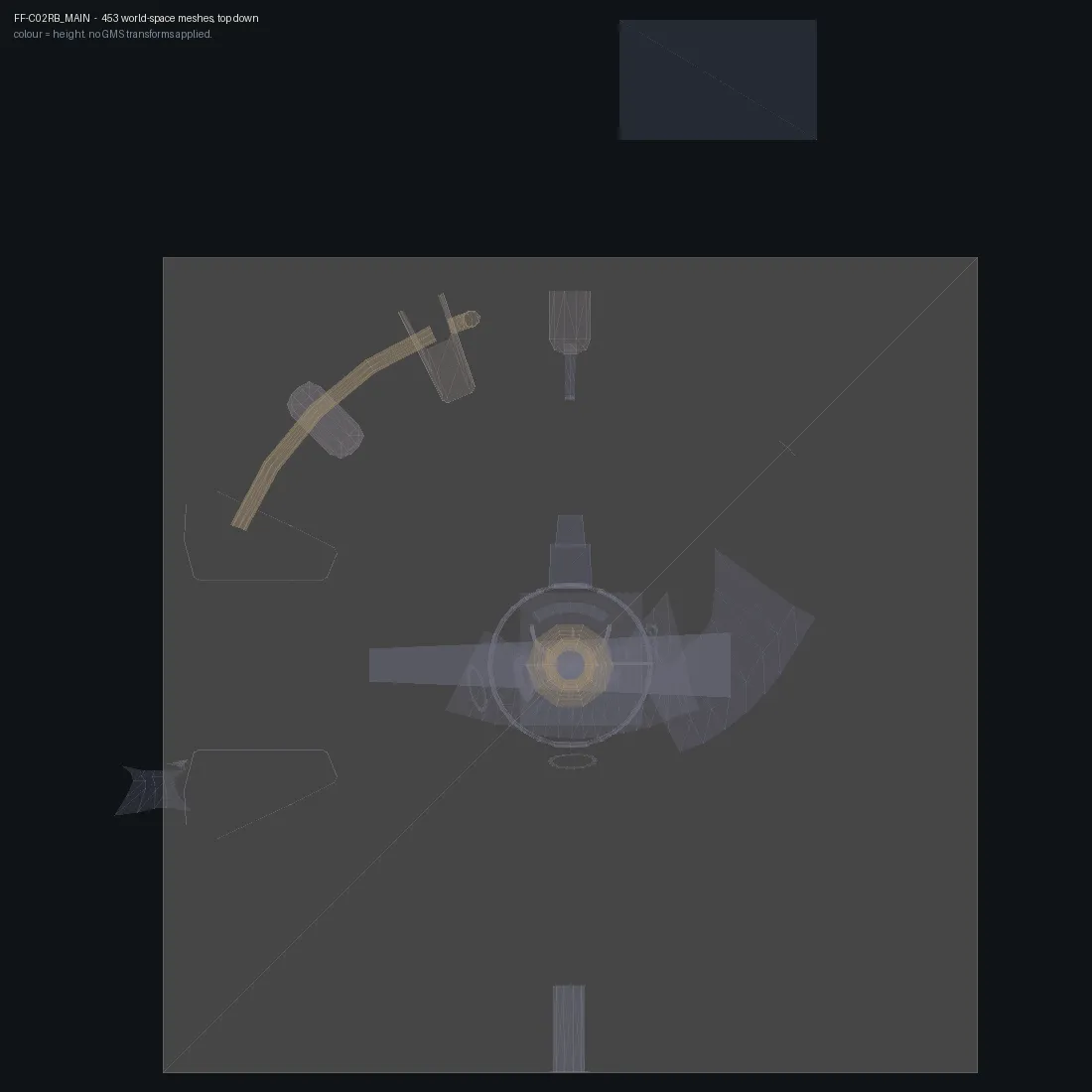
To check the placements I needed something independent to score them against. The game’s .SGP files hold its doorways, in world space. Counting doorways with geometry within 2 metres of their frame, eight levels went from 27 of 103 to 128 of 168 once I read a second kind of placement, one that shares a single rotation between many objects.
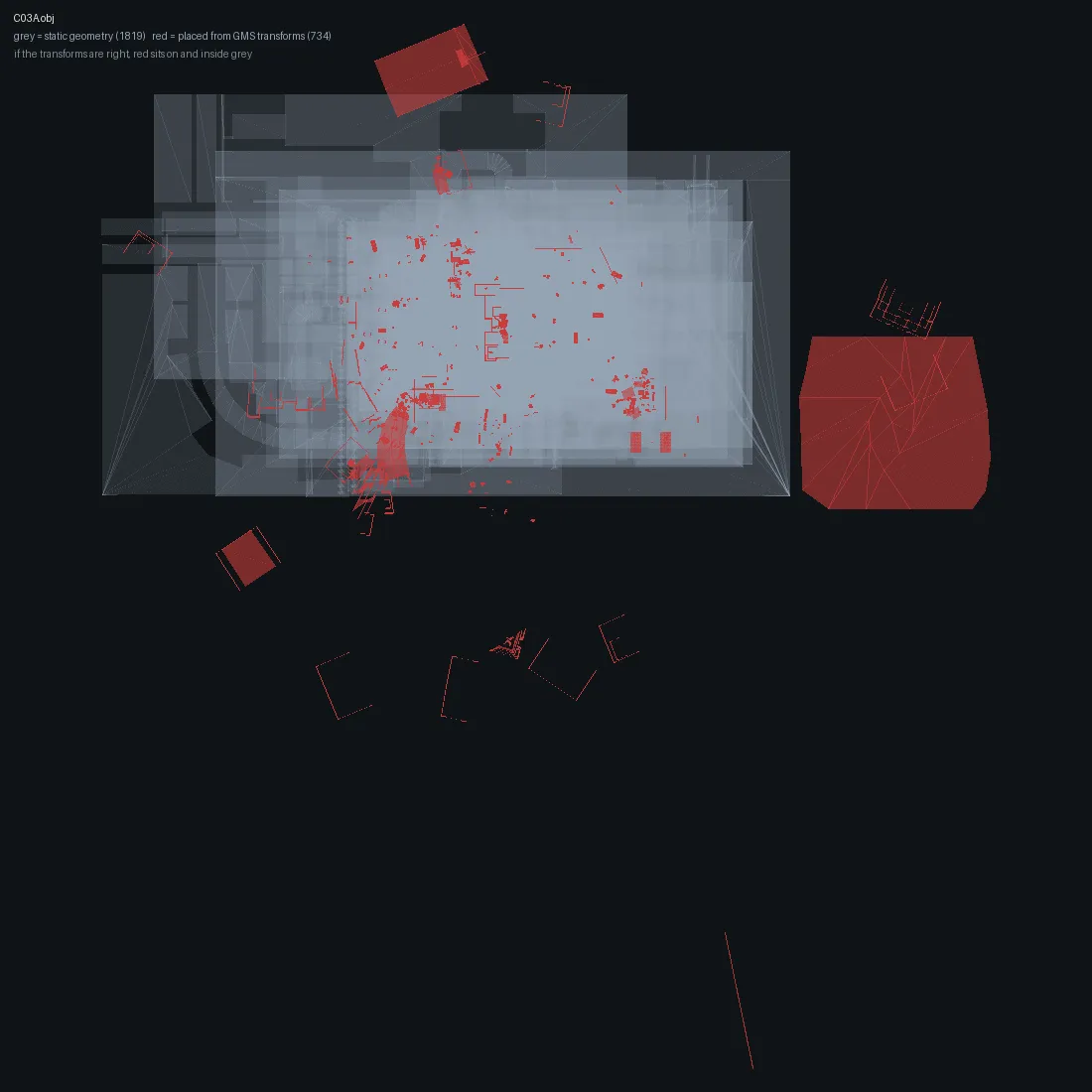
On chapter 3, 96.3% of placed vertices land inside the level’s footprint. The rest are strays I haven’t explained yet.
The sphere nobody could see
Reading a file back proves it’s well formed. It doesn’t prove the game will draw it. I learned that from a test I was sure of: replacing a 158-vertex concrete platform with a sphere of 3,136 vertices, 20 metres across.
The sphere was in the file, and my tools read it back two metres from where the player stood. In the game there was nothing there, for two rounds of testing.
Every mesh names a bounds record. My importer never updated it, because an early note of mine said that record was often just a unit box. Measuring showed the note was wrong. Across 16,934 chunks the record matched the mesh’s real extent 84% of the time. The game was culling my sphere against the box of the small platform it had replaced.
What gave it away was a screenshot. The object was exactly where the tool said and still invisible, which is what culling looks like. A placement bug looks different. With the bounds updated, the sphere renders.
Three kinds of edit are now confirmed in the running game:
| Edit | How I know |
|---|---|
| Textures | A fully retextured level rendered correctly, with UV wrapping and transparency intact |
| Placement | Raising all 99 placements in a level by 4 metres lifted the walkways while collision stayed put, leaving the player under the floor |
| New geometry | The sphere, with a different vertex count and a shape the artists never made |
Loose files
The game’s executable kept a developer switch. With LoadFilter=.TEX in its ini file, the engine reads textures from loose files on disk before it looks in the archives. I tested it by giving the rebel base a loose texture file in magenta while its archive stayed byte for byte the original. The level loaded magenta.
So texture mods don’t need repacking at all. Once the tool has put every texture where the engine expects to find it, an edit becomes a file copy. Meshes and placements don’t work that way: loose .PRM and .GMS files crash the game when the level loads, so those still go through the archive.
The Blender addon
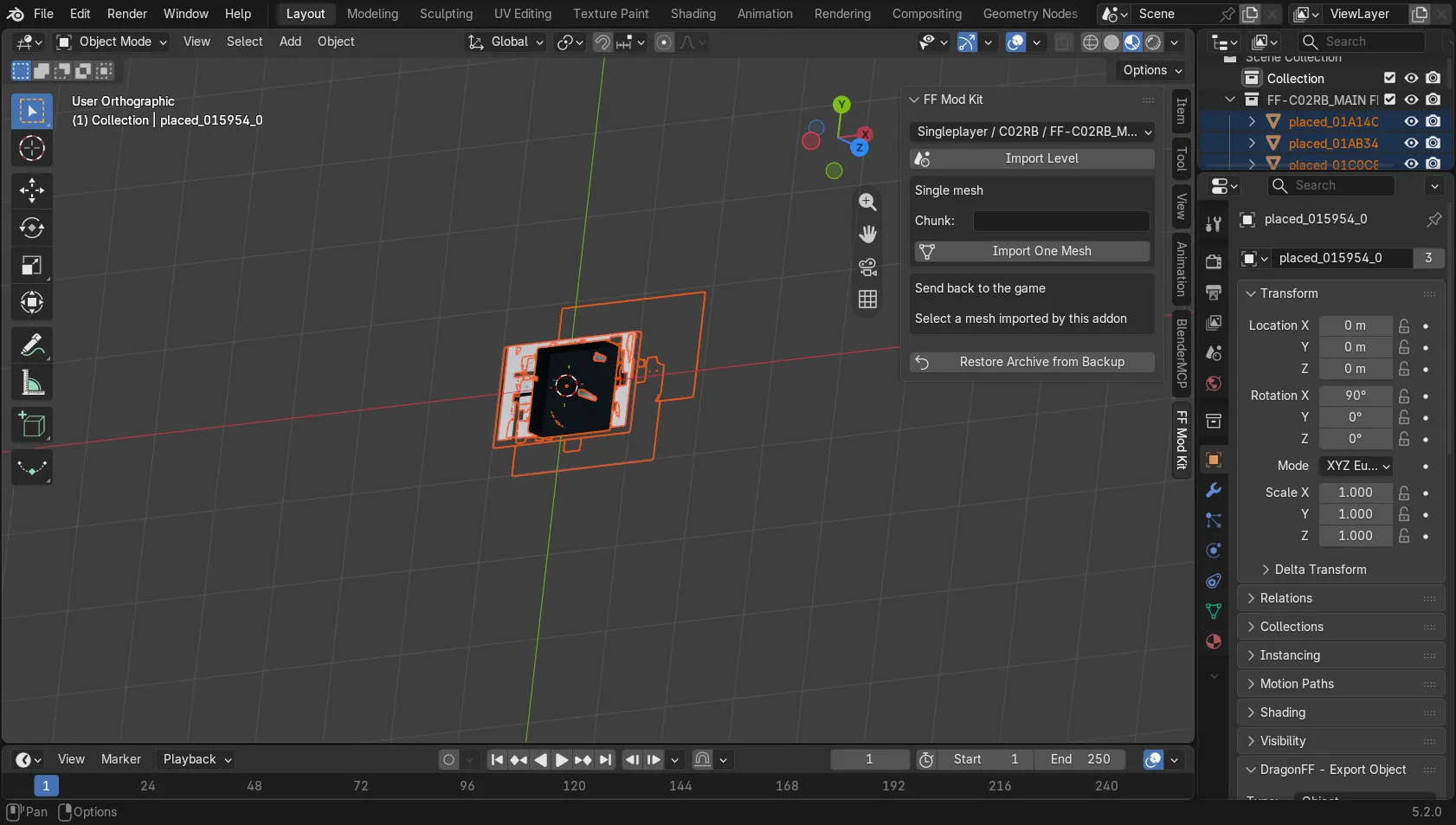
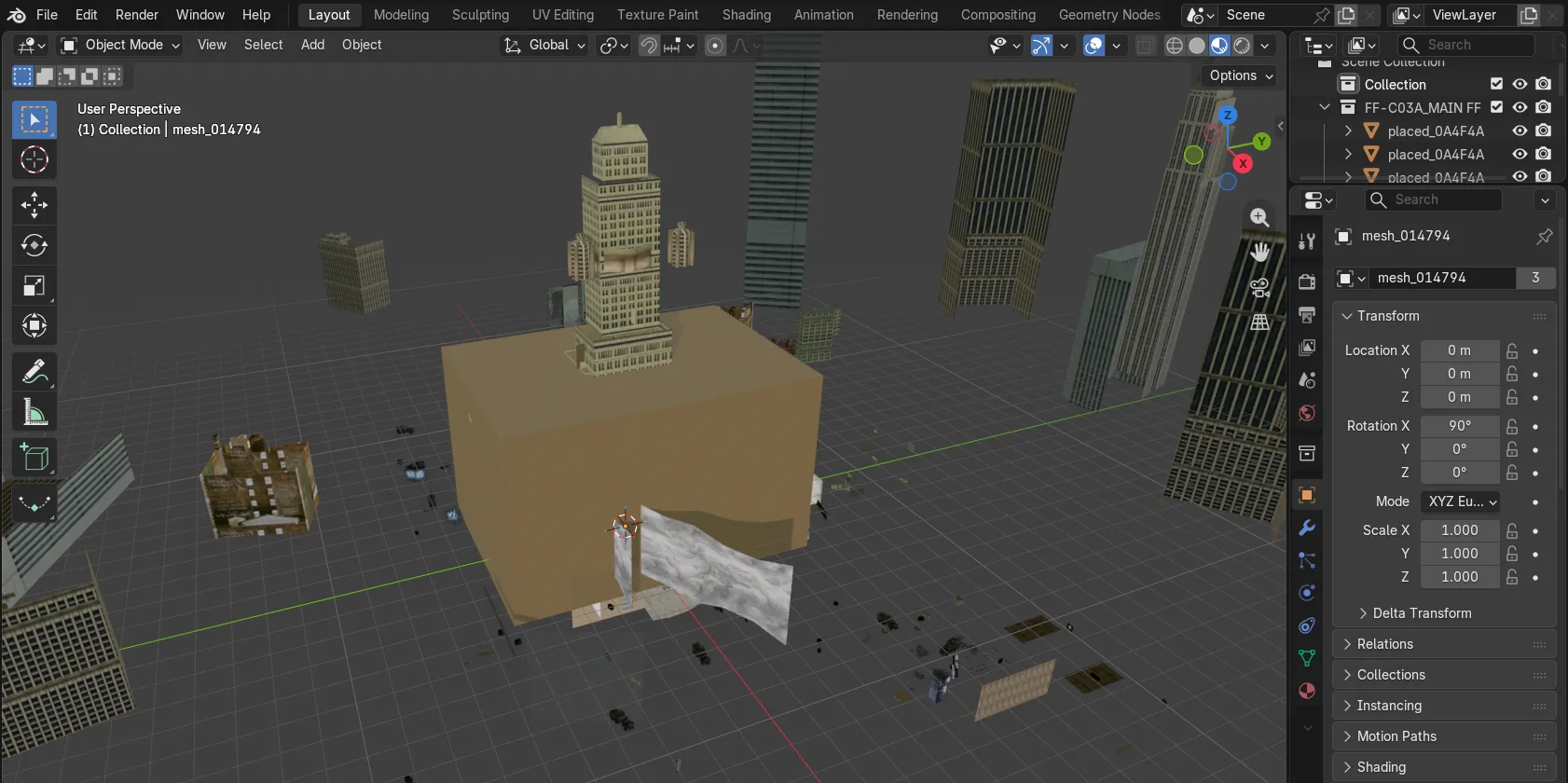
Most of the actual editing happens in Blender. You pick a level and the addon imports it textured, at its real coordinates. When you’ve edited a mesh, the addon sends it back to the game. It doesn’t parse anything itself. Every read and write goes through the command-line program, so there’s no second copy of a format to drift out of step.
Characters come out too, as rigged glTF files with their skeletons and weights: 1,405 pieces across 42 archives, with every bone influence resolving. They stand 1.8 metres tall in Blender because the exporter turns centimetres into metres and flips one axis on the way out.
What isn’t done
Plenty. Characters can be exported but not written back yet. Objects in the scene graph can be moved, but their other properties can’t be edited. Missions and AI are compiled for the engine’s own virtual machine. Editing them would need a disassembler for it, which is a project of its own.
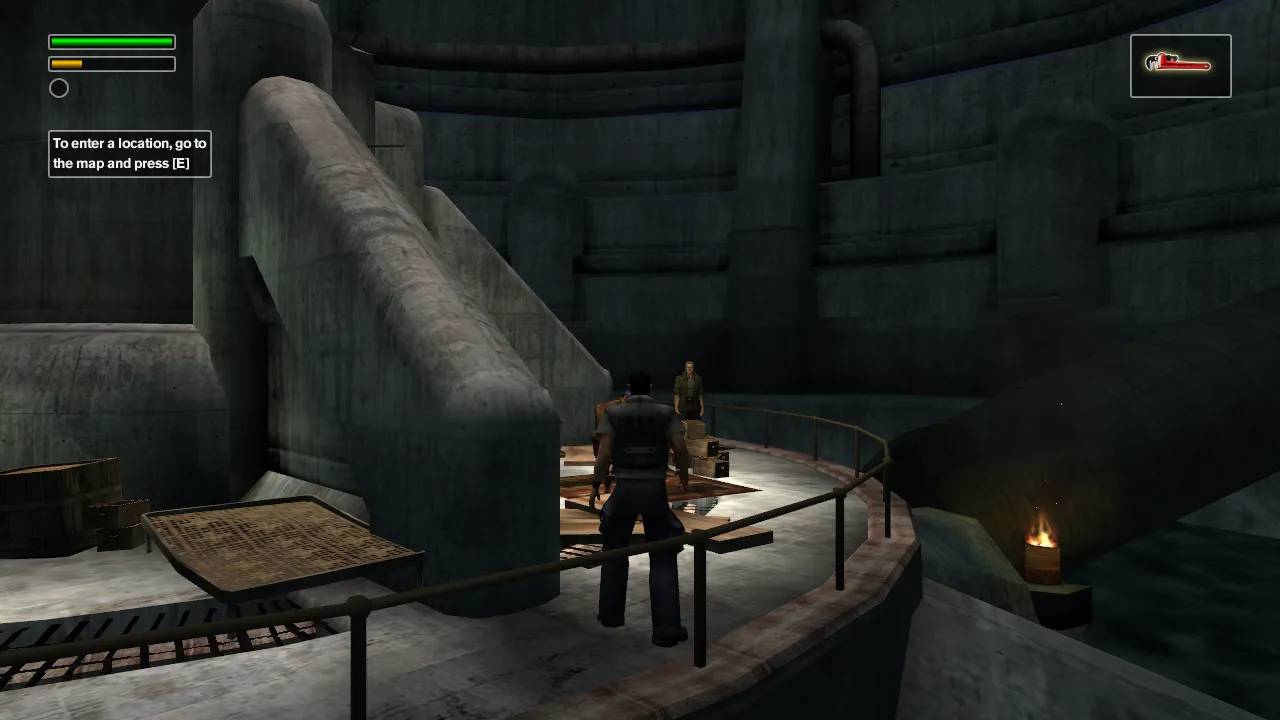
I also don’t have the picture that matters most yet: the game running with my textures in it. The level carrying them is the chapter 2 rebel base, so I need to play up to it and take a screenshot. Everything above shows the tools working. That one would show the game working.